 13 slidesModern layered thesis
Classic university thesis
About this template
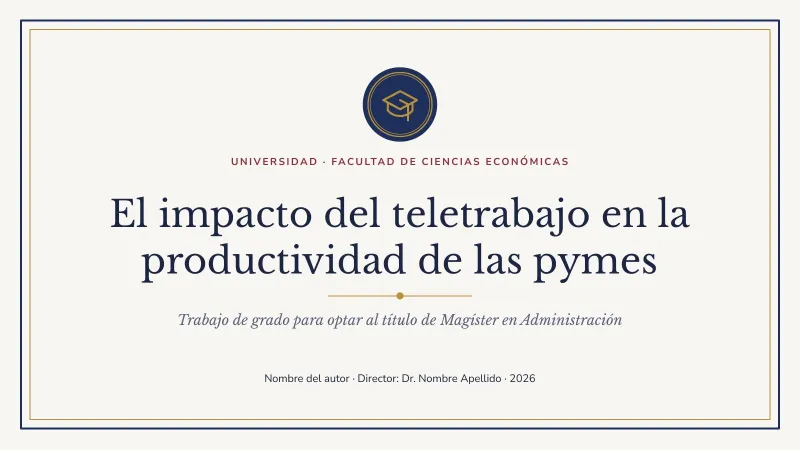
Serif type, a double frame and a central emblem: the institutional feel of a traditional university for undergraduate, master or PhD defenses.
Slides included
The template has 13 widescreen 16:9 slides. The sample text is in Spanish and written around a real example, so you can see how a finished deck looks; replace it with your own content and delete the slides you do not need:
- Cover: “El impacto del teletrabajo en la productividad de las pymes”
- Agenda
- Section divider: “Introducción”
- Introduction with text and image: “Justificación”
- Key idea cards: “Marco teórico”
- Big numbers: “Hallazgos principales”
- Editable chart: “Productividad según modalidad”
- Timeline: “Etapas del estudio”
- Step-by-step process: “Diseño metodológico”
- Team: “Equipo y agradecimientos”
- Quote
- Closing slide: “¡Gracias!”
- Resources: fonts, palette and instructions
Fonts, colors and editable elements
It uses Libre Baskerville and Nunito Sans, free Google Fonts; download links are on the last slide. The main palette is #1F2F5C, #8C2F39, #B8913A, #3D6B7D, #1C2541 and #F7F6F2 and it is stored in the file theme, so you can recolor the whole deck at once from Design → Variants → Colors in PowerPoint.
Everything is editable: text, shapes, icons and illustrations are native elements or images you can move, recolor or replace. The chart is a native PowerPoint chart: right-click → Edit Data and type your numbers.
How to edit this template
-
In PowerPoint
Open the .pptx and click into any text to replace it. To change colors for the whole deck go to Design > Variants > Colors.
-
In Google Slides
Upload the file to Google Drive and open it with Google Slides, or use File > Import slides inside an existing presentation.
-
In Canva
Choose Create a design > Import file and pick the .pptx. Each slide becomes an editable Canva page.
-
Images and charts
Right-click a picture and choose Change picture to keep its size and crop. Right-click a chart and choose Edit data to type your own numbers.
Frequently asked questions
Can I use this template in Google Slides?
Yes. Upload the .pptx file to Google Drive and open it with Google Slides. Libre Baskerville and Nunito Sans are already available there; install them on your computer if you use PowerPoint.
How do I change the colors of the whole deck?
The colors live in the theme. In PowerPoint go to Design → Variants → Colors and pick or create a palette; every slide updates at once.
Is it free for commercial use?
Yes. You can use it for personal, school and work presentations with no attribution. You may not resell it or share the file as a download on another site.
What does Classic university thesis include?
Classic university thesis is a free editable .pptx file: 13 slides, 16:9 format, 113 KB. Text, colors, images and charts can all be changed.
Can I edit Classic university thesis in Canva?
Yes. In Canva choose Create a design > Import file and select the .pptx. Every slide becomes an editable page.